
RSVP Reader vs Bionic Reading is not a simple app-versus-app question. It is closer to a method question. RSVP Reader is a reading app built around paced reading, import workflows, saved progress, and adjustable modes. Bionic Reading is a branded reading method that changes how words look so the eye catches emphasized letter groups faster. Both aim to help people move through text with less drag. They just solve the problem from different angles.
The fastest way to understand RSVP Reader vs Bionic Reading
RSVP Reader vs Bionic Reading comes down to where you want the reading help to happen.
If you want the app to shape pace, session flow, imports, saved progress, and the reading surface itself, RSVP Reader is the closer fit. If you mainly want emphasized word styling layered onto text, Bionic Reading is the clearer reference point.
Here is why that difference matters. A lot of readers search this comparison because they have seen bolded or emphasized text online and want to know whether that is “better” than paced reading. The honest answer is that they are useful for different jobs.
What Bionic Reading says it does
Bionic Reading’s official site describes its method as guiding the eyes through artificial fixation points inside words. The visual effect comes from emphasizing part of each word to make scanning and recognition feel easier. That is a valid and distinct idea. It belongs to the visual presentation layer.
This means Bionic Reading often starts with ordinary paragraph reading and tries to change how that paragraph feels. It does not begin with paced display, speed control, import workflow, or session tracking. That alone tells you a lot about RSVP Reader vs Bionic Reading.
What RSVP Reader does instead
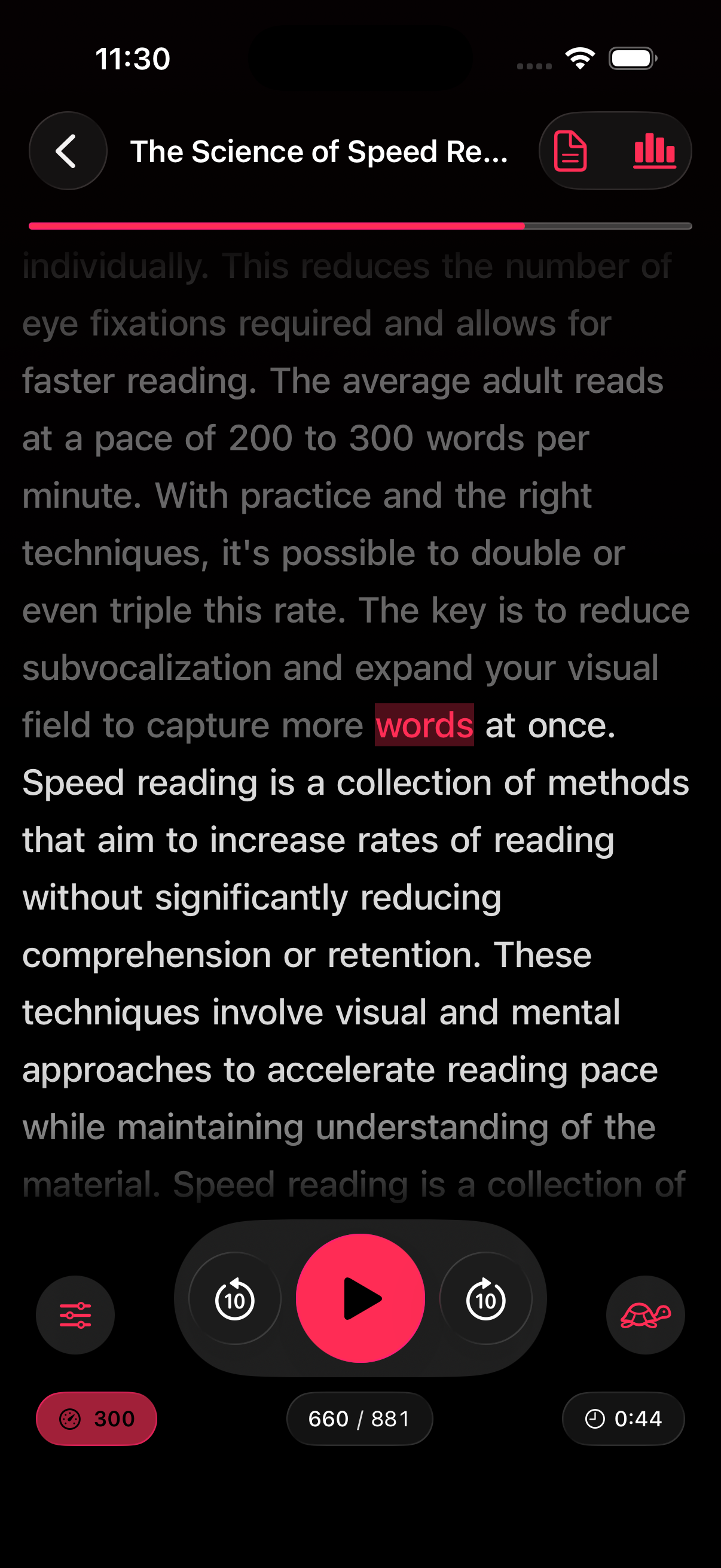
RSVP Reader begins with the reading workflow. The App Store listing describes paced reading modes, adjustable WPM, ORP highlighting, smart punctuation pauses, saved progress, imports, stats, and more than one reading surface. That makes it a broader reading tool. Word emphasis can still matter inside that system, but it is one lever among many.
If your problem is “I need a better way to get through articles, PDFs, and books on iPhone,” RSVP Reader is solving the bigger job. If your problem is “I want paragraph text to present itself with a stronger visual focus point,” Bionic Reading is closer to the method you are evaluating.
RSVP Reader vs Bionic Reading on the eye
Both systems try to make the eye work less, but they do it differently.
Bionic Reading uses fixed emphasis inside words. RSVP Reader can use paced reading, ORP-style word focus, pause controls, and reading mode changes. One approach changes the word shape on a page. The other changes the whole reading rhythm.
That is why how ORP highlighting works is such an important companion page. People often think these methods are interchangeable because both talk about guiding the eye. They are not. One is closer to a typographic treatment. The other is closer to a reading environment.
RSVP Reader vs Bionic Reading for actual backlogs
Here is the practical test. Imagine a backlog of saved articles, PDFs, EPUBs, and copied text blocks. Which option gets you from “I should read this” to “I am actually reading this” faster?
RSVP Reader has a stronger answer because the product includes import routes, a library, saved progress, and speed controls. Bionic Reading can change how text looks. RSVP Reader can change how you move through it.
That matters for students, professionals, and anyone trying to shrink a real reading queue instead of only experimenting with a visual method.
Where Bionic Reading may feel better
There are still cases where Bionic Reading may feel more natural. Some readers do not want a paced surface at all. They want a normal block of text with help inside the word shapes. For those readers, a strong emphasis method can feel familiar and light-touch.
This is why RSVP Reader vs Bionic Reading should not be written like a dunk. The methods are serving different tastes. RSVP Reader works best when someone wants reading control, pace control, and task flow in one place. Bionic Reading works best when someone mainly wants a style layer over more ordinary reading.
When RSVP Reader has the clearer edge
RSVP Reader starts pulling ahead when the comparison includes these questions.
Can I import text from more than one source? Can I adjust pace? Can I save my place? Can I shift modes when the text changes? Can I use the app for articles, PDFs, books, and scans?
Those are bigger workflow questions than emphasis alone can answer.
The role of customization in RSVP Reader vs Bionic Reading
Customization matters because not everyone likes strong emphasis. Some readers want it. Some want only a little. Some want a cleaner page and slower pace instead. RSVP Reader is stronger here because it can place emphasis inside a bigger set of controls. That means the reader can test fonts, themes, spacing, mode choice, and pace instead of betting everything on one visual method.
This is why custom reading settings app and reading modes matter so much in the comparison.
Next steps
If you want the method page behind this comparison, read how ORP highlighting works. If you want the broader product view, go to reading modes. If your real question is whether a paced reading app fits your daily backlog better than a style layer, start with speed reading app for iPhone. RSVP Reader vs Bionic Reading is easiest to answer once you decide whether you need a reading environment or just a new visual treatment.
Sources
Bionic Reading | Bionic Reading | Publication date not listed | https://bionic-reading.com/ Pricing | Bionic Reading | Publication date not listed | https://bionic-reading.com/pricing/ RSVP Reader: Speed Reading App | Apple App Store | April 1, 2026 | https://apps.apple.com/us/app/rsvp-reader-speed-reading/id6757968737